Package Scanning
Monodog first identifies your packages by looking for "workspaces" in package.json or else "packages" in pnpm-workspaces.yaml.
Overview
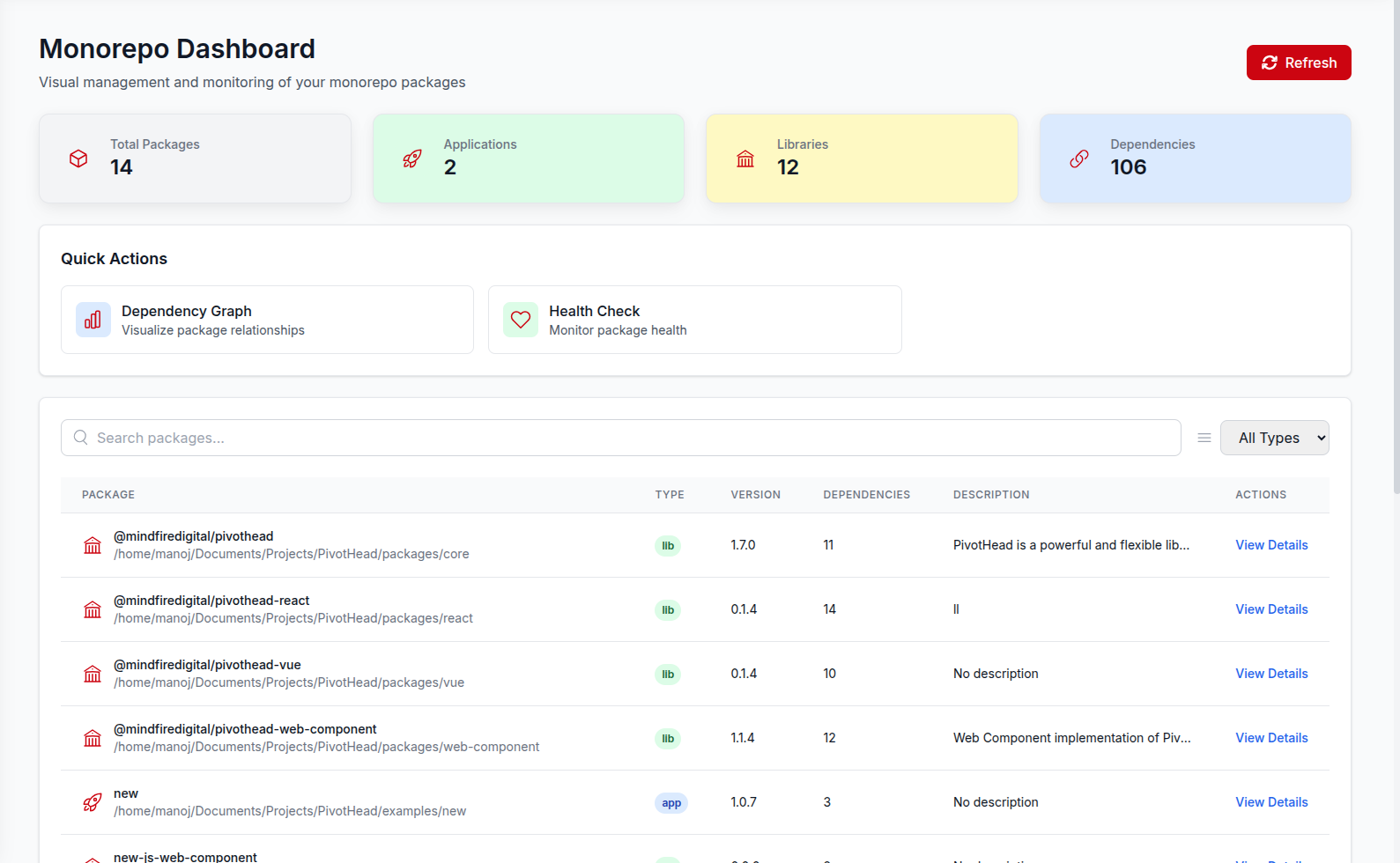
Package scanning is the core of Monodog. It:
- Discovers all packages in your monorepo.
- Analyzes package details (name, version, description).
- Maps dependencies between packages.
- Identifies configuration files.
How it Works
1. Workspace Detection
Monodog first identifies your monorepo type by looking for package.json with "workspaces" for npm workspaces.
2. Package Discovery
Then it searches for packages using glob patterns:
packages/*
apps/*
libs/*
3. Metadata Extraction
For each package found, Monodog gathers:
{
  "name": "@scope/package",
  "path": "packages/package",
  "version": "1.0.0",
  "description": "Package description",
  "private": false,
  "license": "MIT",
  "scripts": {
    "build": "vite build",
    "test": "vitest run",
    "lint": "eslint ."
  },
  "dependencies": {
    "@scope/package2": "workspace:*"
  },
  "devDependencies": {
    "@vue/test-utils": "^2.4.0",
    "@vitest/coverage-v8": "^0.34.0",
  },
  "peerDependencies": {
    "vue": ">=3.0.0"
  }
}
4. Dependency Analysis
Monodog examines:
- Internal dependencies (between packages in the monorepo).
- External dependencies (npm packages).
- Peer dependencies.
- Development dependencies.
Scanning Methods
Manual Scanning
Start a scan via API:
curl -X POST http://localhost:8999/api/packages/refresh
Accessing Scan Results
Via API
# Get all packages
curl http://localhost:8999/api/packages

# Get specific package
curl http://localhost:8999/api/packages/{packagename}
Via Dashboard
View results in the Monodog dashboard at http://localhost:3010.
Troubleshooting
Packages Not Found
Check your workspace configuration and included paths:
# Verify config
cat pnpm-workspace.yaml
Missing Dependencies
Make sure all dependencies are listed in package.json:
# Verify dependencies
cat packages/my-package/package.json | grep -A 10 dependencies